
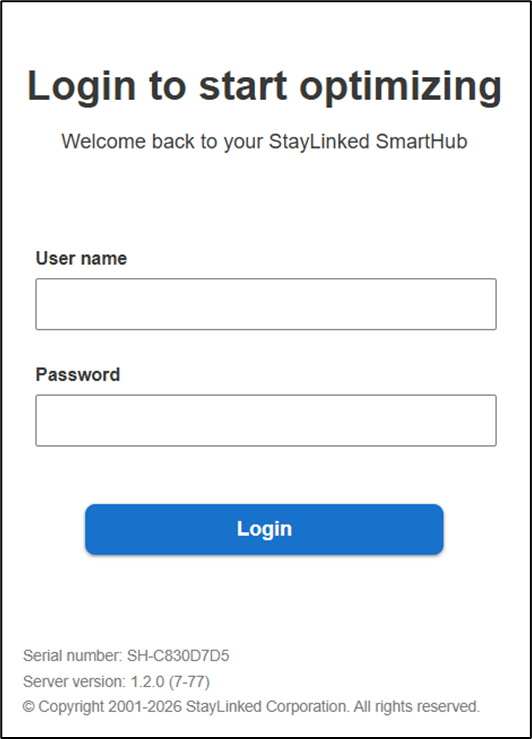
Open your web browser and enter the address of your SmartHub installation using port 3008. If this is local machine, you can use the address localhost:3008/login in your browser address bar. This generates a login screen. If the machine is remote, you'll need the IP or an accessible network address and the port reference.
SmartHub is secured by User name and Password. The default security account for new installations is:
User name: 'administrator'
Password: 'esp'
Enter the credentials and select ‘Login’.
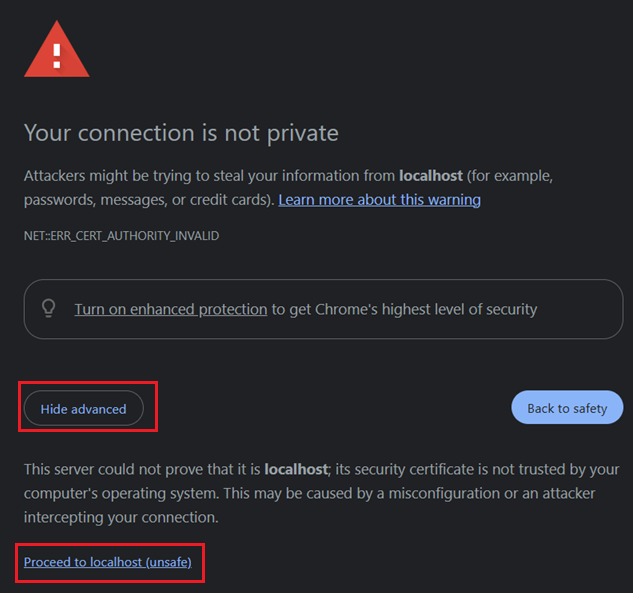
If the website is blocked by the Chrome browser, you can proceed by selecting Advanced and Proceed to localhost (or the applicable address).
Share the post "Logging Into SmartHub"