
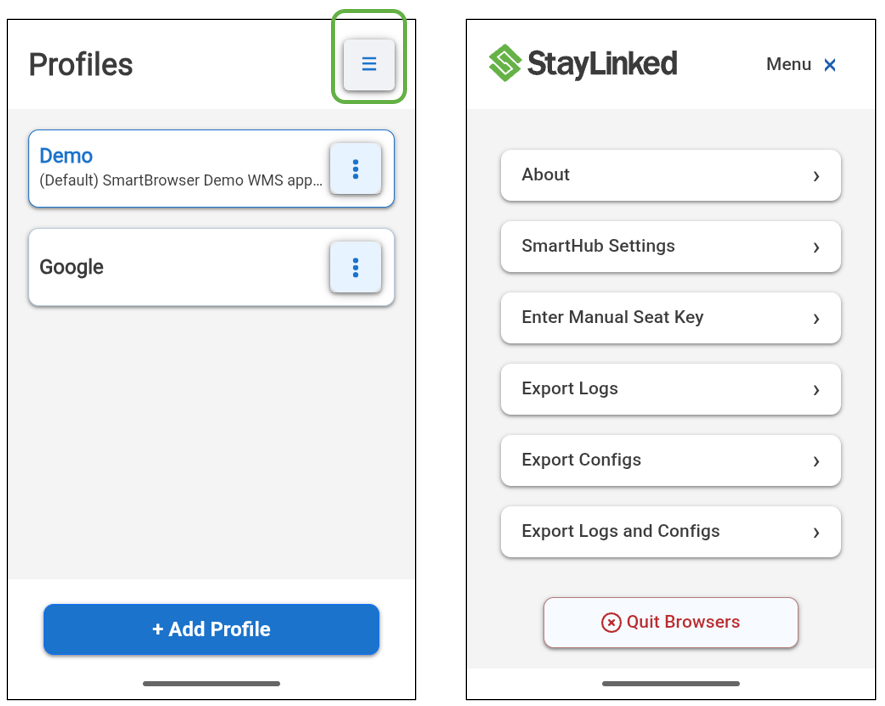
Located in the top-right corner of the Profiles screen is a hamburger menu. Selecting it opens a menu of available functions. Additional functions are accessible with Admin Mode enabled, as noted below.
About
Accessible to all users.
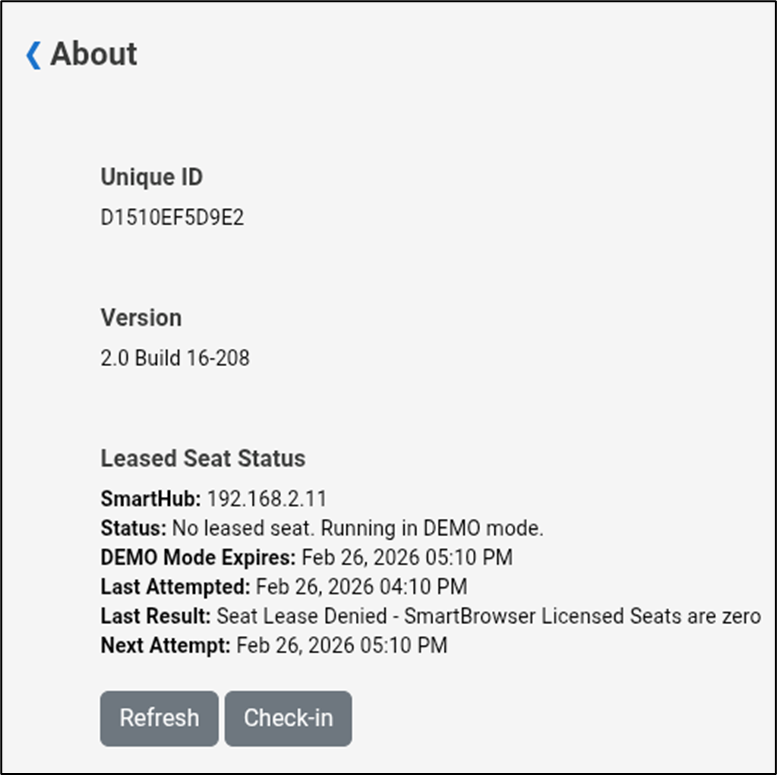
Reports the Unique ID of the Android device running SmartBrowser
Reports the Version number of the SmartBrowser APK
Reports the Seat Status including:
- SmartHub IP address
- Status of the seat (not leased, leased with expiry, etc)
- Last Issued date for the seat
- Last Attempted date/time for the seat
- Last Result when attempted
- Scheduled next attempt
- Provides ability to manually instruct the device to Check-In for a seat and Refresh the Seat Status menu
SmartHub Settings
Admin Mode required
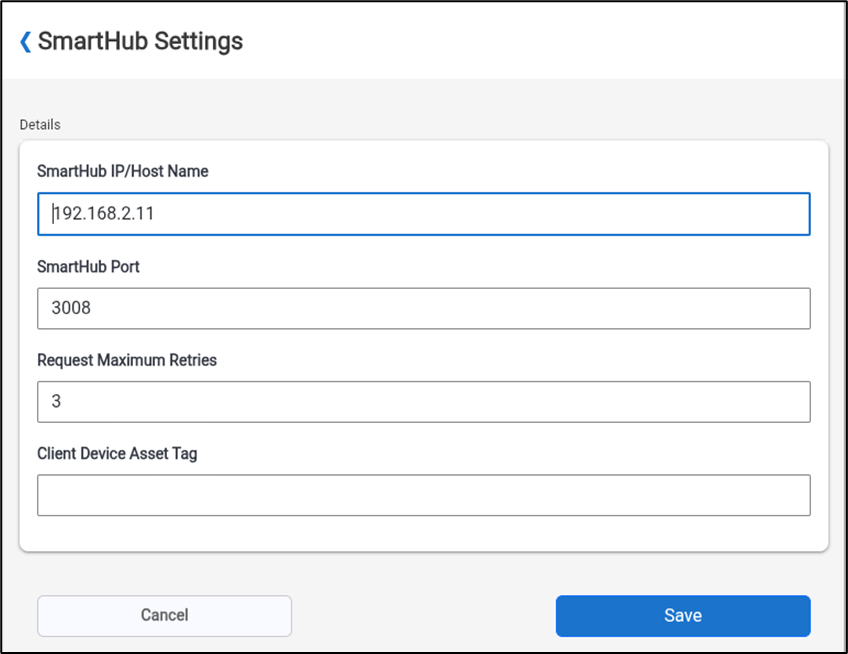
Used to configure the following:
- IP address / URL of the SmartHub
- The SmartHub port number
- Maximum number of Check-In retries for a seat
- Asset Tag information for the client device
Enter Manual Seat Key
Admin Mode required
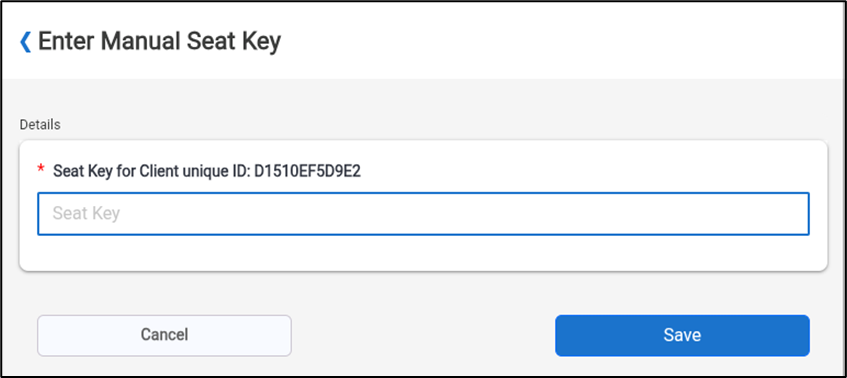
Used to manually enter a seat key without checking into SmartHub
Export Logs
Accessible to all users
Exports a ‘smartbrowser-logs.zip’ file to the ‘Download’ directory of the mobile device
Export Configs
Admin Mode required
Exports a ‘smartbrowser-configs.zip’ file to the ‘Download’ directory of the mobile device
Export Logs and Configs
Admin Mode Required
Exports both ‘smartbrowser-configs.zip’ and ‘smartbrowser-logs.zip’ to the ‘Download’ directory of the mobile device
Quit Browsers
Exits out of all active sessions, clears all cookies and cache and closes the application
Menu x
Exits hamburger menu and returns to Profiles screen
Share the post "Hamburger Menu"